
Give $10. Get $10.
Share your 6-digit code. Your friends save $10 on a ProSide annual subscription, and you earn $10 for every friend who joins.
New partner? Activate your code in the app first: Settings → Partner Program.
Get Started in 10 Seconds
Activate your code in the app, share it with your golf community, and watch the rewards roll in.
Open the App
In ProSide, tap Settings, then Partner Program. Accept the partner terms to activate your account.
Share Your Code
You'll get a unique 6-digit code. Share it with friends, students, members, or your followers.
They Save $10
When a friend buys an annual subscription, they enter your code at checkout and save $10 instantly.
You Earn $10
After a 35-day clearance period, $10 is credited to your partner account. Track it from your dashboard.
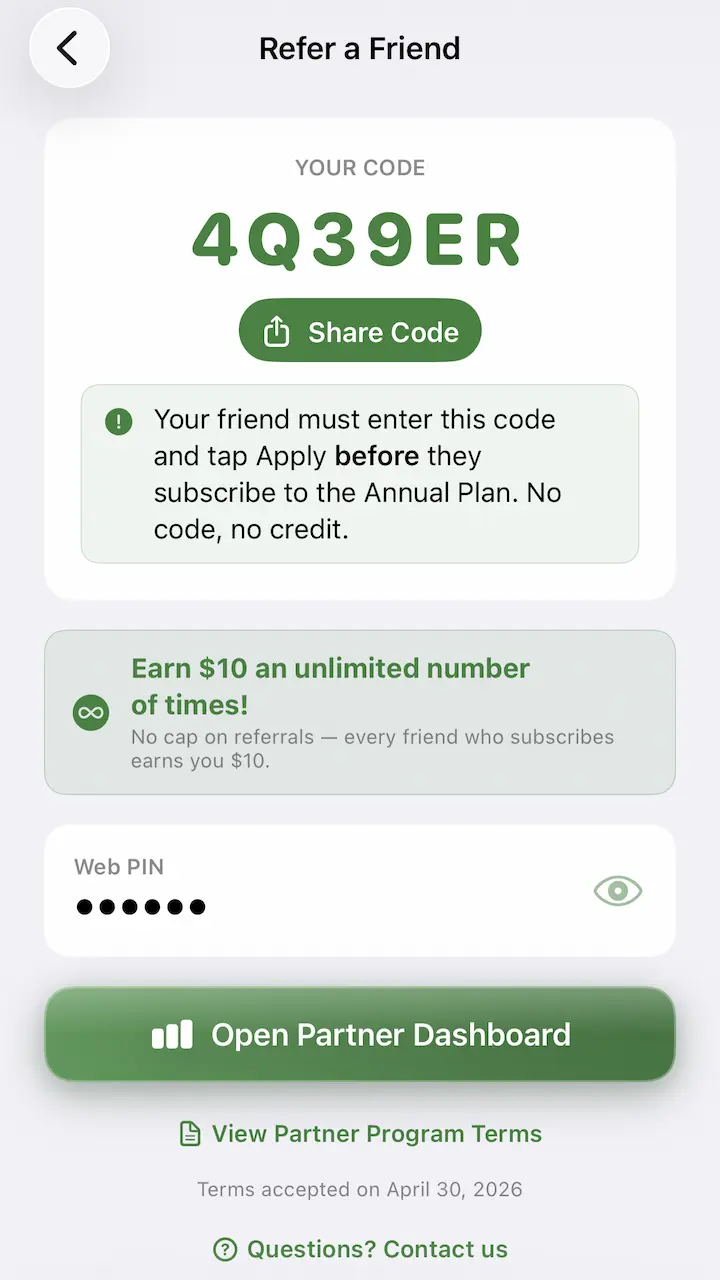
Your code lives in the app
Tap Settings, then Partner Program, and accept the terms. ProSide generates a unique 6-digit code for you. Tap the code to copy it, or use the built-in share sheet to send it anywhere — text, email, social, or a printed card.
- One code, unlimited shares
- Friends apply it at annual checkout
- Earnings tracked in real time
How to Earn More
Your code works best when it lands where golfers already trust your recommendation.
Coaches & Instructors
Add your code to lesson plans, follow-up emails, and student handouts. Students get a head start on green reading and you build a steady payout stream.
Clubs & Pro Shops
Print your code on a card next to the practice green. Members save on their subscription and the club earns on every signup.
Creators & Players
Drop your code in video descriptions, captions, and pinned comments. Every annual signup using your code pays out.
Referrals show as pending for 35 days to cover refunds and chargebacks, then clear into your available balance.
See every referral, its status, and your full payout history on the partner dashboard.
See Who's Signed Up
With Your Code
Check pending referrals, cleared earnings, and payout history any time. Grab the PIN from the app to log in on the web.
Free to join. Web PIN available in the ProSide app.
Frequently Asked Questions
How do I become a partner?
Open ProSide on your iPhone, go to Settings, tap Partner Program, and accept the terms. Once accepted, your 6-digit referral code is generated immediately.
Where do I see my earnings?
Sign in to your partner dashboard at partners.prosideapp.com. You'll see pending referrals, cleared earnings, and payout history.
What is the web PIN?
The PIN is a one-time code shown inside the app that lets you log in to the web dashboard. Open ProSide, tap Partner Program, then choose Log in on web to reveal it.
Why is there a 35-day waiting period?
The 35-day hold covers the refund and chargeback window for annual subscriptions. Once it passes, the referral clears and the $10 becomes available.
Does the discount apply to monthly subscriptions?
No. The give-$10 / get-$10 reward only applies when your friend purchases an annual subscription with your code applied at checkout.
Is there a limit on how many friends I can refer?
No. You can share your code with as many people as you like. The more annual subscriptions activated with your code, the more you earn.
How do payouts work?
Cleared earnings can be paid out from the partner dashboard once you've reached the minimum payout threshold. Available payout methods and any thresholds are shown inside the dashboard.
Can I use my own code?
No. Your personal code is for referring other people, not for self-redemption.